
Size guide
How Big of a Mouse Pad Do You Need?
Three sizes, and an easy way to know which one fits your desk before you order. Start with the pictures below, then measure your space to be sure.
See Each Size Side By Side
 Most Popular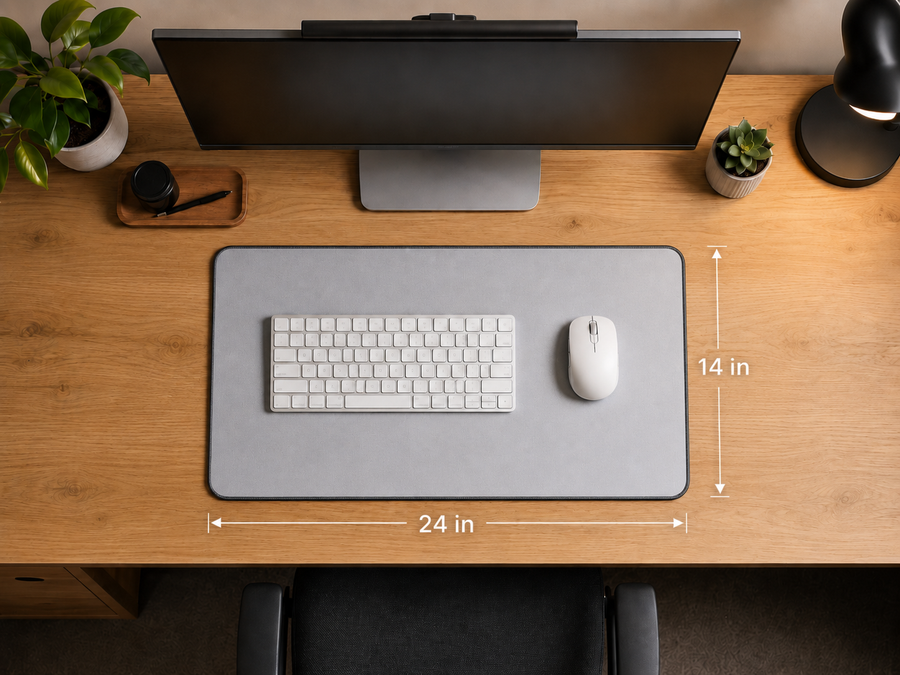
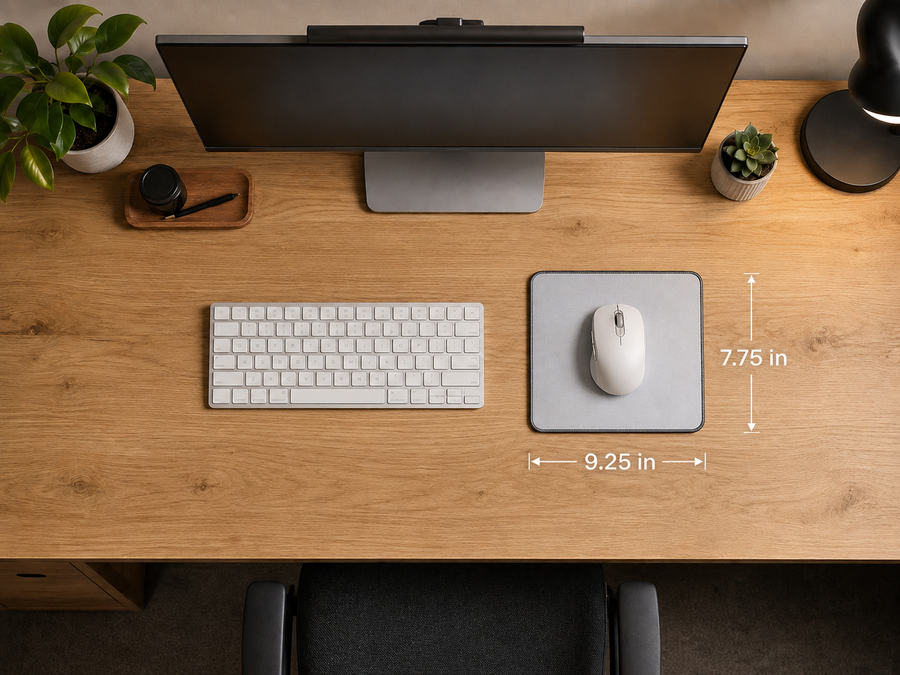
The best size depends on how much desk space you have and what you want to place on the mouse pad. Our 35 × 16-inch mouse pad is designed to fit a keyboard and mouse with plenty of room to move. The 24 × 14-inch size is a more compact desk mat, while the 9.25 × 7.75-inch option is designed primarily for a mouse.
That depends on your desk setup. Some customers place their monitor stand behind the mouse pad, while others allow part of the stand to rest on it. Measure from the front edge of your desk to the base of your monitor to make sure your preferred size will fit the way you want.
You can place the mouse pad close to the edge of your desk, but we recommend checking that it will not overlap the sides or interfere with anything on your desktop. Leaving a small amount of open space (around an inch or two) can also make it easier to position and adjust.
The 35 × 16-inch mouse pad is generally the best option for gaming because it provides the most room for both your keyboard and mouse. The larger surface also gives you more space for wide mouse movements.
Still not sure?
Get the Medium. It's what most people order, and it's the one we'd pick for a desk we hadn't seen. If you'd rather talk it through, we're an email away.