
Design with AI
No designer. No problem. Type it.
Describe the pad you want in plain words and let AI draw it. Our free guide walks you through it, prompt by prompt, in about five minutes.
Works with free tools. No account gymnastics, no design degree.
Pick your tool
Which one should I use?
All of these make great images. Here's the quick version so you can pick and get going.
Total beginners who want the easiest path.
- Ease
- Easiest
- Quality
- Great
- Signup
- Account
A strong free alternative with fast results.
- Ease
- Easy
- Quality
- Great
- Signup
- Google account
The best-looking results, if you don't mind Discord.
- Ease
- Advanced
- Quality
- Best
- Signup
- Paid plan

Free · Beginner friendly
ChatGPT
Free · Beginner friendly
ChatGPT
This is by far the easiest to use and accessible to the largest number of people.
Open the tool and start a new chat
Go to ChatGPT.com and create an account or sign-in to your existing account, and start a fresh conversation.
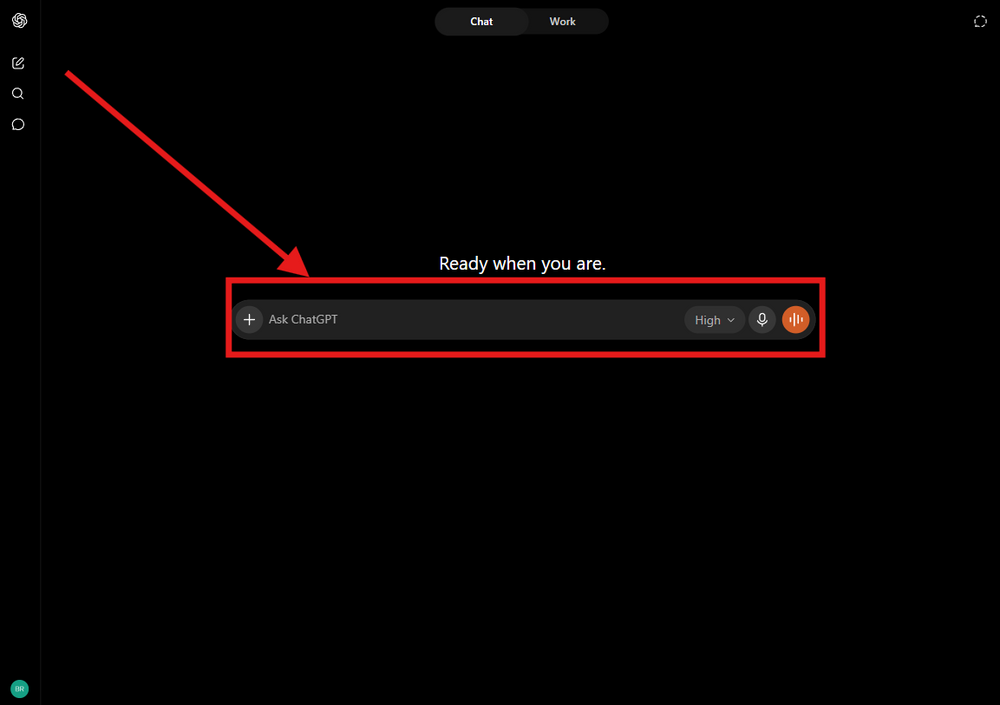
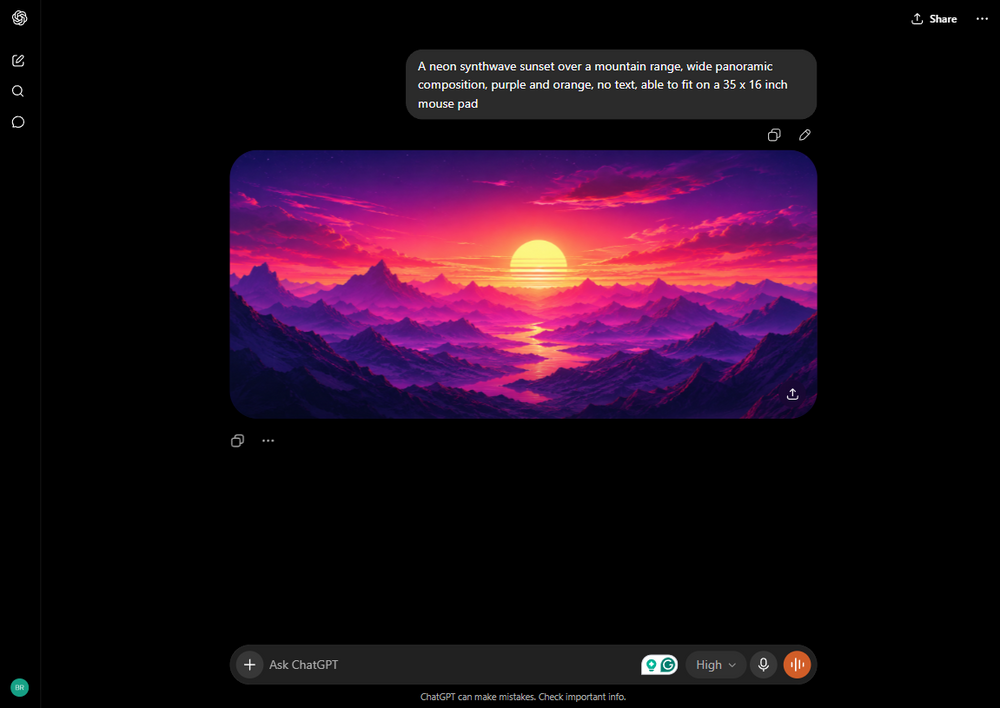
Describe your image in detailed words (pro tip: specify the mouse pad size)
A neon synthwave sunset over a mountain range, wide panoramic composition, purple and orange, no text, able to fit on a 35 x 16 inch mouse pad
Be specific about the subject, style, colors, and mood. The more detail you give, the closer the result. We recommend asking ChatGPT to make the final image the same size as the mouse pad you're interested in.
A neon synthwave sunset over a mountain range, wide panoramic composition, purple and orange, no text, able to fit on a 35 x 16 inch mouse pad
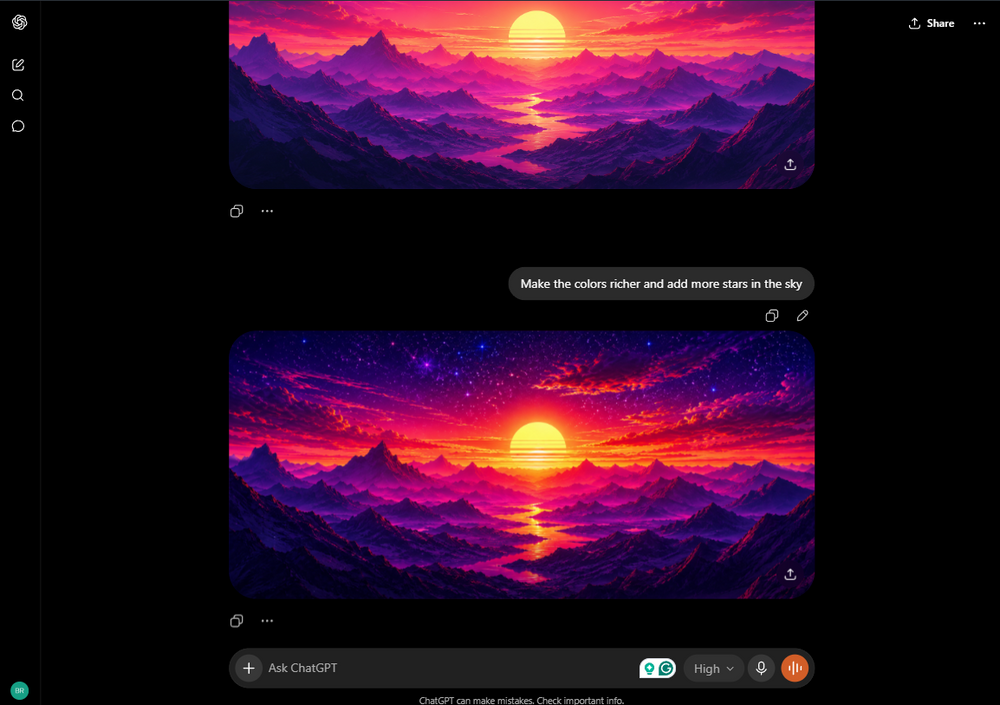
Refine until it's right
Make the colors richer and add more stars in the sky
Don't settle for the first try. Ask for changes in plain language like "make it brighter", "add more detail", or "move the subject left".
Make the colors richer and add more stars in the sky
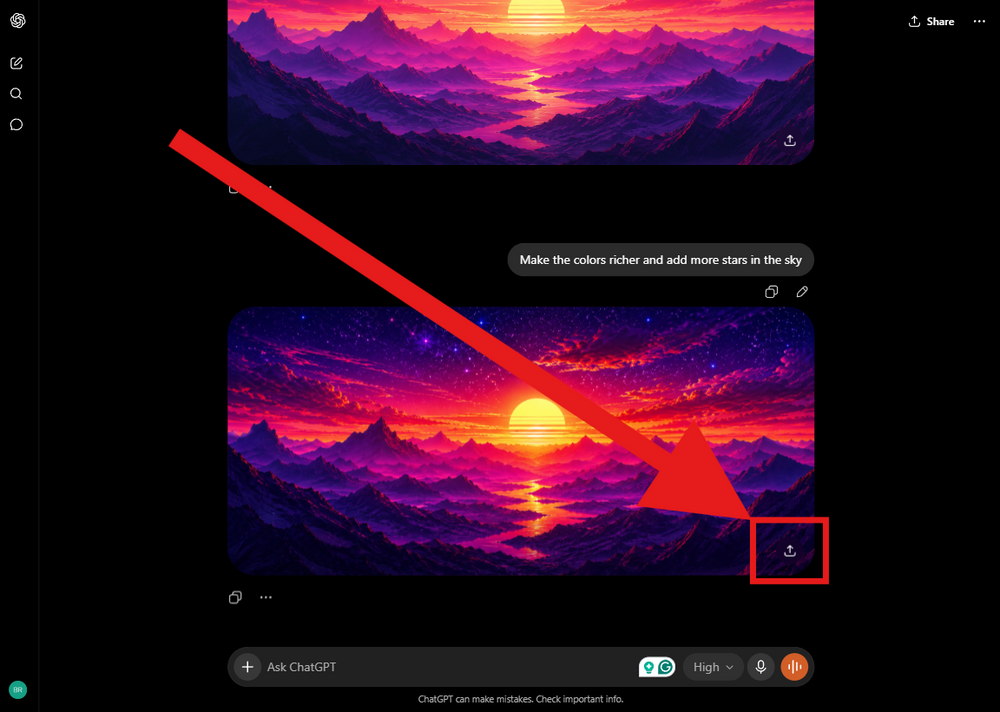
Save or share the image
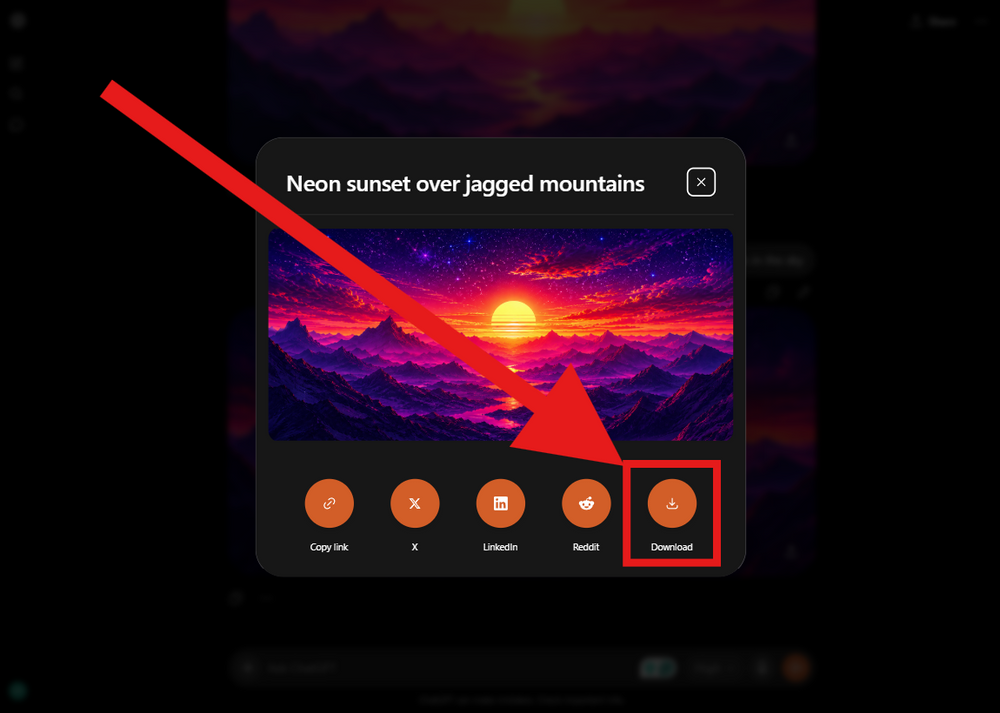
Click the arrow pointing up on the bottom right of the image to view all the different options to save your photo.
Download your image
Download your image, head back to Pix on Pads and upload it on the mouse pad size you chose and you're done!
Free · Beginner friendly
Gemini
Free · Beginner friendly
Gemini
Very similar to ChatGPT, however you must have a Google account (gmail) to be able to use Gemini.
Open the tool and start a new chat
Open the Gemini app and either create an account or login to an existing account and start a fresh conversation.
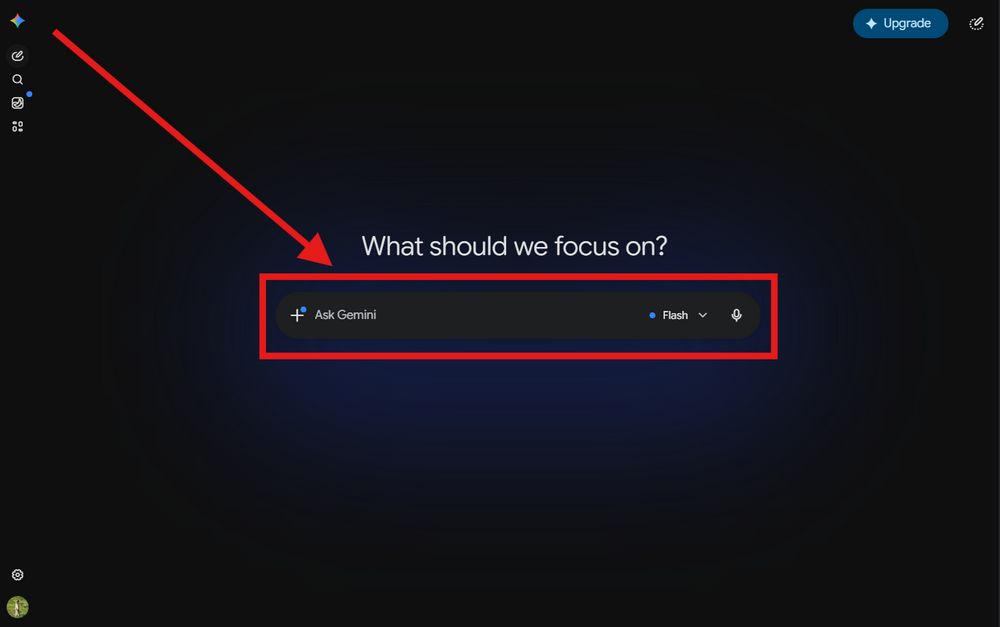
Describe your image in detailed words (pro tip: specify the mouse pad size)
An anime-style girl with long flowing hair standing on a hill at sunset, cherry blossom petals in the wind, vibrant cel-shaded colors, Studio Ghibli inspired, no text, able to fit on a 35 x 16 inch mouse pad
Be specific about the subject, style, colors, and mood. The more detail you give, the closer the result. We recommend asking Gemini to make the final image the same size as the mouse pad you're interested in.
An anime-style girl with long flowing hair standing on a hill at sunset, cherry blossom petals in the wind, vibrant cel-shaded colors, Studio Ghibli inspired, no text, able to fit on a 35 x 16 inch mouse pad
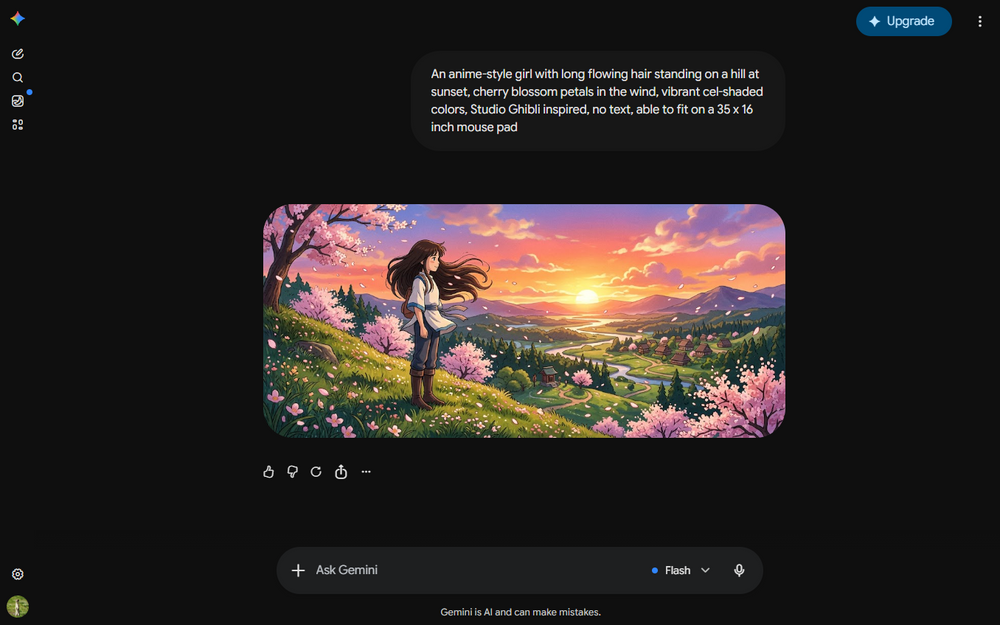
Refine until it's right
Add another character. Make the sky purple and gold ,add a small town in the valley.
Don't settle for the first try. Ask for changes in plain language like "make it brighter", "add more detail", or "move the subject left".
Add another character. Make the sky purple and gold ,add a small town in the valley.
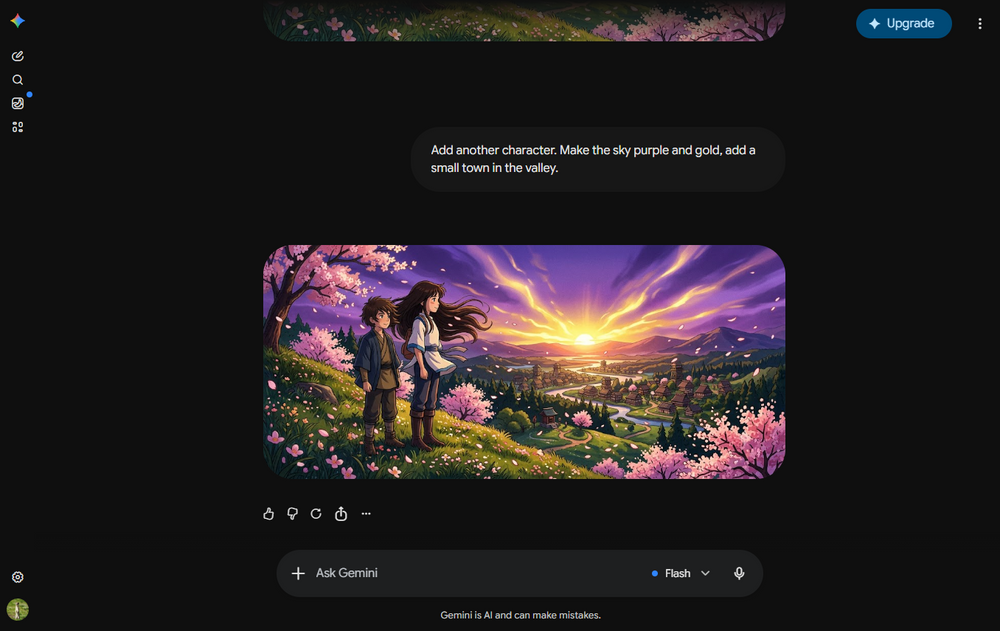
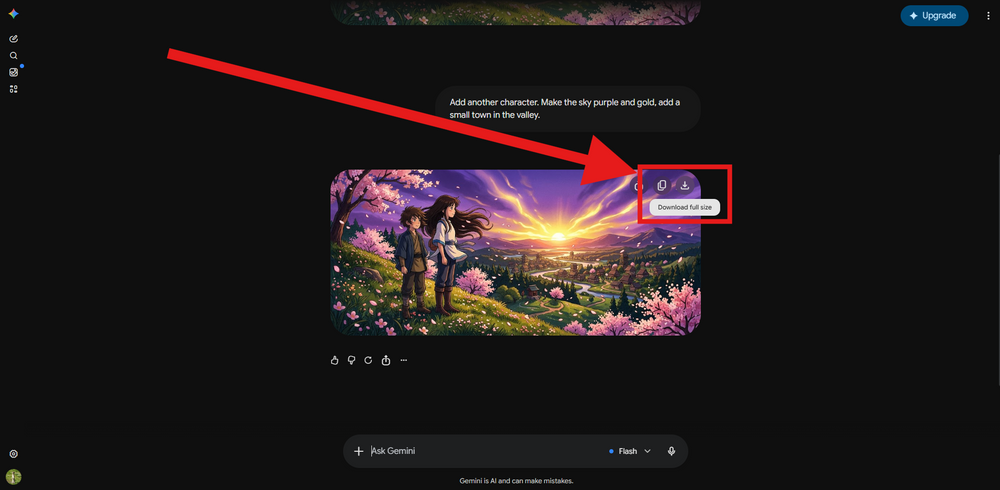
Save your image
Click the download button in the top right corner to save your image. Head back to Pix on Pads and upload it to the mouse pad size you were interested in.

Paid · Best Looking Results
Midjourney
Paid · Best Looking Results
Midjourney
Midjourney is one of the most advanced AI photo tools out there. You must have a paid subscription to use their tool, which starts around $20/month.
Open Midjourney and login
Open Midjourney and create an account or log-in to your existing account.
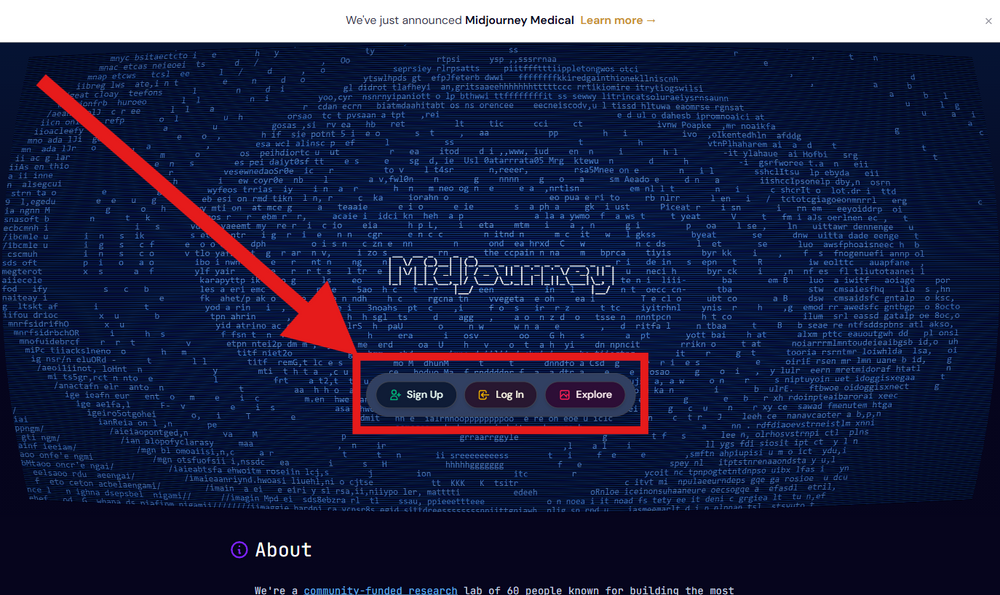
Write a detailed prompt
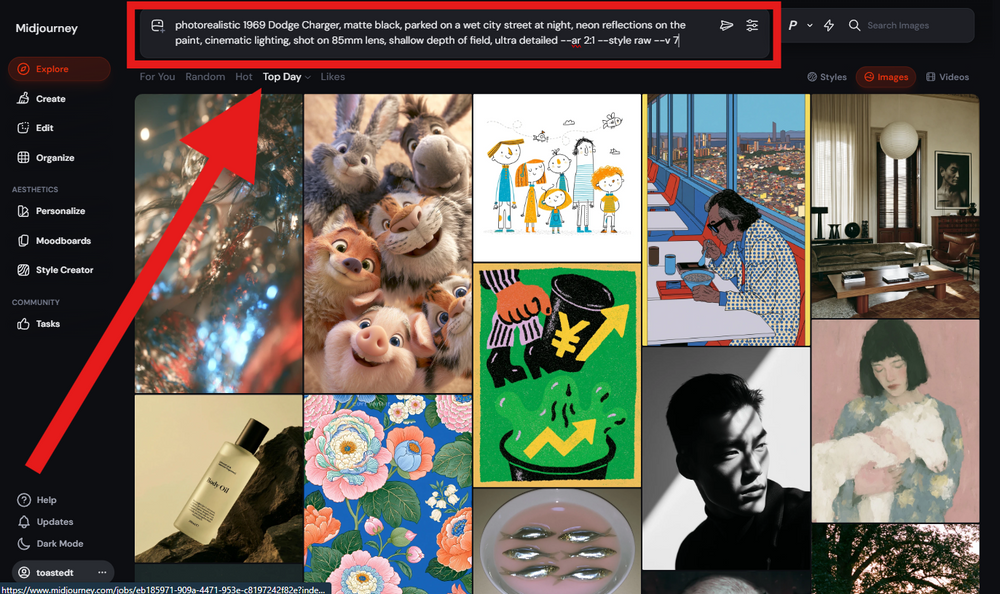
photorealistic 1969 Dodge Charger, matte black, parked on a wet city street at night, neon reflections on the paint, cinematic lighting, shot on 85mm lens, shallow depth of field, ultra detailed --ar 2:1
You can start a new chat at the top of the page. We highly recommend you watch this short (2 minute) YouTube video
photorealistic 1969 Dodge Charger, matte black, parked on a wet city street at night, neon reflections on the paint, cinematic lighting, shot on 85mm lens, shallow depth of field, ultra detailed --ar 2:1
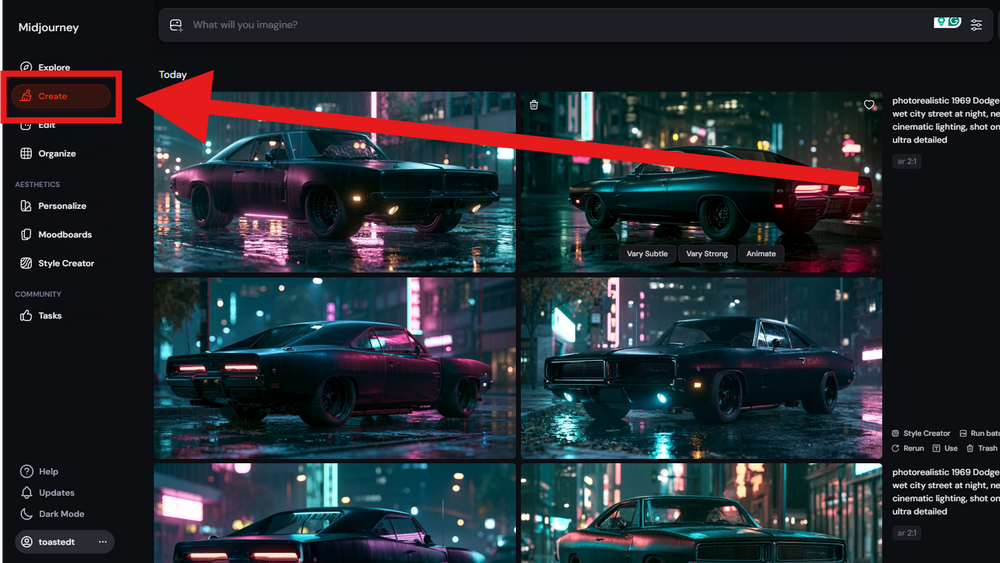
Select Create on the left hand bar
All of the images you create from prompts can be found under the "Create" tab on the left hand side.
Refine until it's right
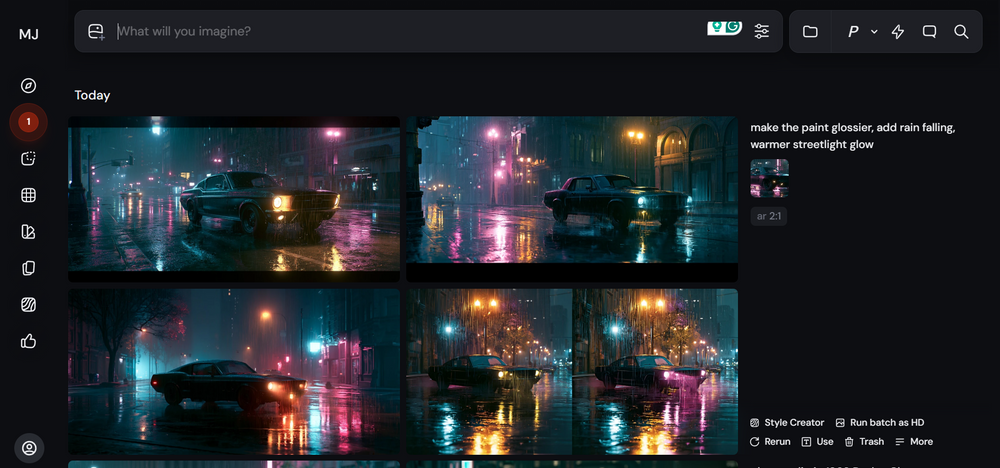
Use the image as an image prompt & say something like "make the paint glossier, add rain falling, warmer streetlight glow --ar 2:1"
Not quite there? Change one thing at a time. Add words to fix what's off, or use Midjourney's "Vary" button to nudge a result you almost love.
Use the image as an image prompt & say something like "make the paint glossier, add rain falling, warmer streetlight glow --ar 2:1"
Download your image
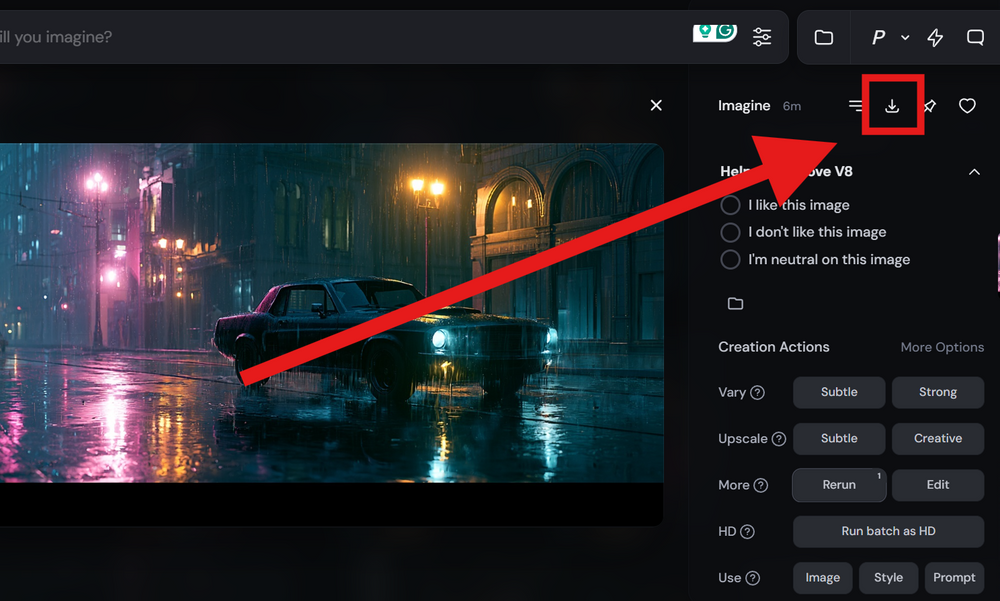
Once you are happy with the image you have created, open the one you would like to use on the mouse pad and click the download button in the top right corner.
Still can't figure it out? We'll make it for you.
Seriously. Email us what you're picturing and a real person on our team will create the image for you and send it back. No charge, no catch. It's part of what you're paying for when you order from a family shop instead of a faceless printer.
We usually reply within a day, often much sooner.